

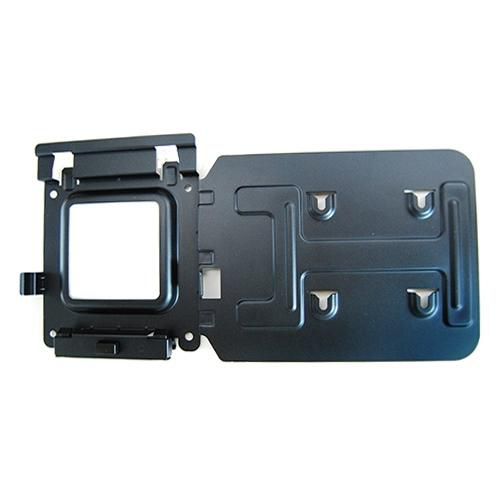
ID: 100016676
Docking Station Mounting

OEM Number
EAN
5397063764167
Best price
2 891 грн
incl. VAT
In stock: 10-19 pcs
Delivery: 2-4 weeks
Easily mount your Dell™ Dock-WD15 or Dell Thunderbolt Dock-TB15 behind most Dell UltraSharp or P-Series monitors or to a wall, desk, or any flat surface with the Dell Docking Station Mounting Kit. Help create a clutter-free work environment at your desk or workstation by mounting your Dell Dock-WD15 or Dell Thunderbolt Dock-TB15 behind your compatible monitor or under your desk.
The kit comes with everything that you need to mount your Dell Dock-WD15 or Dell Thunderbolt Dock-TB15 behind a compatible Dell UltraSharp or P-Series monitor . The bracket easily attaches with four included mounting screws to the VESA mounting holes (100mm) underneath the monitor stand connector. Stand should be removed to attach the bracket, and then reattached to the bracket once the bracket is secured to the monitor. Mounting position for the Dell Dock-WD15 or Dell Thunderbolt Dock-TB15 will be offset to the side of the stand. Two included mounting screws are screwed into the bottom of your dock, which then allows it to slide easily onto the mounting bracket. It can easily be removed when needed. The kit can also be used to mount your Dell Dock-WD15 or Dell Thunderbolt Dock-TB15 on a wall, under a desk, or onto a table (with included mounting hardware). Two included mounting screws are screwed into the bottom of your dock, which then allows it to slide easily onto the mounting bracket. It can easily be removed when needed.
The kit comes with everything that you need to mount your Dell Dock-WD15 or Dell Thunderbolt Dock-TB15 behind a compatible Dell UltraSharp or P-Series monitor . The bracket easily attaches with four included mounting screws to the VESA mounting holes (100mm) underneath the monitor stand connector. Stand should be removed to attach the bracket, and then reattached to the bracket once the bracket is secured to the monitor. Mounting position for the Dell Dock-WD15 or Dell Thunderbolt Dock-TB15 will be offset to the side of the stand. Two included mounting screws are screwed into the bottom of your dock, which then allows it to slide easily onto the mounting bracket. It can easily be removed when needed. The kit can also be used to mount your Dell Dock-WD15 or Dell Thunderbolt Dock-TB15 on a wall, under a desk, or onto a table (with included mounting hardware). Two included mounting screws are screwed into the bottom of your dock, which then allows it to slide easily onto the mounting bracket. It can easily be removed when needed.
Recommended products
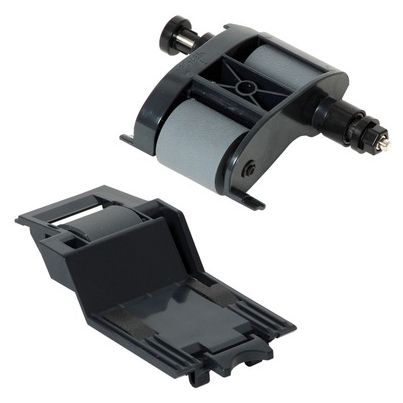
HP / MPN: L2718A
100 ADF Replacement Kit
3 105 ₴
Dell / MPN: JRF1C
100W USB-C AC Adapter for
3 681 ₴
Dell / MPN: JC22F
100W USB-C AC power adapter
3 681 ₴
Dell / MPN: M1WNP
100W USB-C AC power adapter
3 681 ₴
Dell / MPN: 09TXK7
130W AC adapter for laptops,
3 238 ₴
Dell / MPN: 450-AHEJ
130W AC adapter for laptops,
2 370 ₴
You also viewed
To catalog →
HP / MPN: 646830-001
18 Sata3G St Ra Ra Dn
5 425 ₴

HP / MPN: M13557-001
Card Reader Board for HP
4 163 ₴
HP / MPN: N40865-001
System board for Intel Core
32 041 ₴
HP / MPN: 5EK00-67022
HDU X42 idle rollers for HP
65 523 ₴
HP / MPN: N75083-001
Mechanical Gaming Keyboard
16 401 ₴

Sony / MPN: 149328211
Remote Commander (RMT-VB310E)
2 131 ₴